
6 Best Field Service Apps in 2026: Top Software for Service Providers and Tradies
Compare six field service apps with public pricing for service providers, tradies, and home service businesses in 2026, including TREVY, SortScape, Jobber, Housecall Pro, ServiceM8, and Tradify.

Choosing the right field service app
Choosing a field service app in 2026 is not just about finding the tool with the longest feature list. The best choice depends on how your business actually runs: how many people are in the field, how much quoting you do, whether you need dispatching, how you take payments, how often clients reschedule, and how much admin you want to move out of notebooks, spreadsheets, texts, and memory.
Some field service software is built for large trade companies with office staff, dispatchers, call centers, reporting dashboards, inventory, asset maintenance, and multi-crew workflows. Those tools can be powerful, but they can also be expensive and heavy for a small contractor who mainly needs to schedule jobs, send quotes, invoice clients, track expenses, and keep client history in one place.
Other apps are built for small teams and solo operators. They focus on the daily admin that gets in the way of paid work: quoting on site, remembering follow-ups, turning completed work into invoices, recording job notes, attaching photos, and getting paid without chasing clients for weeks.
This guide compares six field service apps in 2026 for contractors, tradies, and home service businesses. It includes TREVY, our own field service app, alongside SortScape and well-known platforms like Jobber, Housecall Pro, ServiceM8, and Tradify.
Because TREVY is included, this is not pretending to be a detached third-party ranking. The goal is to be useful and honest: show where each app fits, where it may be too much, and where a simpler tool may be the better business decision.
This comparison also uses a clear pricing rule: the main list only includes apps with usable public pricing. Some larger field service platforms may be excellent products, but if current pricing requires a quote or demo call, they are better handled in a separate quote-based software comparison.
Pricing note
Prices below were checked from public vendor pricing pages on 2026-07-04. Software pricing, plan limits, taxes, discounts, add-ons, billing terms, currencies, and regional availability can change. Use this comparison as a starting point and confirm current pricing on each vendor's website before buying.
Where useful, check the current TREVY pricing page, SortScape pricing page, Jobber pricing page, Housecall Pro pricing page, ServiceM8 AU pricing page, Tradify global pricing page, and Tradify AU pricing page before making a final decision.
Pricing snapshot
| App | Lowest public paid price checked | Pricing caveat |
|---|---|---|
| TREVY | $19.99 AUD/month | Available to Australian businesses with one Core plan after a 7-day free trial. |
| SortScape | From $12 USD/month for Basic with 1 user | Pricing scales by user count. In the checked view, Premium was $24 USD/month for 1 user, while 10 users showed $89 USD/month for Basic and $179 USD/month for Premium. |
| Jobber | From $29 USD/month, billed annually, for Core with 1 user | Team-size selection changes available plans and prices, and sales tax may apply. |
| Housecall Pro | From $59 USD/month, billed annually, for Basic with 1 user | Monthly billing is higher, sales tax may apply, and add-ons can change final cost. |
| ServiceM8 | From $29 AUD/month on the AU page, including GST | Job limits vary by plan, and readers in other regions should check their local ServiceM8 page. |
| Tradify | From $47 USD per user/month on the global page | Regional pricing exists, and the AU page shows AUD ex-GST pricing. |
This is not a full total-cost-of-ownership table. Payment processing fees, add-ons, SMS charges, extra users, tax, and annual billing terms can all change what a business actually pays.
Quick comparison
| App | Best fit | Strongest angle | May not suit |
|---|---|---|---|
| TREVY | Solo contractors and tradies that want simple field service admin | Scheduling, quotes, invoices, expenses, job forms, client history, projects, payment links, and iOS and Android availability in a simpler app | Businesses needing multi-user collaboration, enterprise dispatch, call center tools, fleet management, or deep inventory |
| SortScape | Service businesses that want scheduling, quoting, invoicing, reminders, route planning, and team access | Strong public support for recurring work, route optimization, customer reminders, SMS, job timers, property history, Xero, QuickBooks, and Zapier | Solo operators who want the lowest-friction app and do not need team workflows or route-heavy operations |
| Jobber | Small home service teams that want a mature all-around platform | Quoting, scheduling, invoicing, client hub, payments, and broad industry coverage | Teams that want lower-cost simplicity or very advanced enterprise operations |
| Housecall Pro | Home service businesses that want scheduling, invoicing, follow-ups, and growth tools | Home-service focus, customer communication, payments, and business tools | Very small operators who only need the basics |
| ServiceM8 | Tradies and service businesses, especially Apple-first teams and Australian audiences | Job cards, scheduling, quoting, invoicing, forms, photos, payments, and accounting integrations | Businesses that want a simpler mixed-device app or deeper enterprise workflows |
| Tradify | Tradies that want simple job management from enquiry to invoice | Enquiries, quotes, jobs, scheduling, invoices, payments, and trade-friendly workflow | Larger service businesses needing complex dispatch and reporting |
1. TREVY
Best for: solo contractors, tradies, and independent service providers that want simple job admin without enterprise complexity.
TREVY is built for the practical parts of running a field service business: scheduling jobs, creating quotes, sending invoices, tracking expenses, keeping client history, adding job notes and photos, managing recurring work, and keeping project records connected. It is designed for small operators who want to move away from paper notes, manual invoices, disconnected spreadsheets, and scattered client messages.
The main advantage of TREVY is focus. Many field service platforms become complicated because they are trying to serve everyone from solo contractors to large companies with multiple office departments. TREVY is aimed at the smaller end of the market: contractors and tradies who want to look professional, stay organized, and get paid without spending weeks learning a new system.
TREVY is also available on both iOS and Android, so independent Australian tradies can manage jobs, quotes, invoices, and client details on the device they prefer.
TREVY can be a good fit if you need quotes, invoices, job scheduling, recurring jobs, forms, expenses, receipt capture, client records, and Stripe payment links where enabled. It is also useful if you want job and project details to stay connected rather than spread across a calendar, invoice app, notes app, and photo gallery.
Watch out for: TREVY is currently designed for one person running a service business and does not yet support team accounts or multi-user collaboration. If you need shared access, dispatch, fleet tools, complex inventory, deep asset maintenance, or a large office workflow, another platform may be a better fit.
Bottom line: choose TREVY if you want a simple, budget-friendly field service app that covers the core admin workflow for a small service business.
2. SortScape
Best for: service businesses that want scheduling, quoting, invoicing, customer reminders, route planning, and multi-user access, especially recurring or route-based work.
SortScape markets itself most directly to lawn and garden maintenance businesses, but its feature set is broader than lawn mowing. The core workflow is familiar to many field service businesses: schedule work, send quotes, invoice customers, manage customer history, communicate by SMS or email, track time and materials, and reduce manual admin.
SortScape's strongest public angle is operational coordination. Its website highlights drag-and-drop scheduling, automatic customer communication, time and materials tracking, property and customer history, QuickBooks Online and Xero integrations, and route optimization. Its pricing page also lists daily tasks, issue tracking, photo upload and sharing, basic and advanced route optimization, automatic visit reminders, activity logs, quote follow-up, invoice follow-up, online payments, reporting, job timer and expense tracking, and Zapier integration on Premium.
The team side is also important. SortScape's pricing scales by number of users, and its FAQ says employees can be logged in on different phones or computers at the same time. That makes it worth comparing if you have multiple people in the field, recurring routes, visit reminders, and shared job information.
In the checked pricing view, SortScape appeared in USD rather than AUD. For 1 user, Basic showed $12 USD/month and Premium showed $24 USD/month. For 10 users, Basic showed $89 USD/month and Premium showed $179 USD/month. SMS credits also scaled by user count in the checked view, and additional SMS credit packs were shown separately. Confirm current pricing and currency on SortScape's website before buying.
Watch out for: SortScape may be more than a solo operator needs if you do not care about route optimization, automatic reminders, team access, SMS credits, or accounting integrations. It is not only for lawn and garden businesses, but its public marketing and strongest visible workflows lean toward recurring and route-based service operations.
Bottom line: choose SortScape if you want a public-priced field service app with strong scheduling, reminders, route planning, customer history, accounting integrations, and multi-user support.
3. Jobber
Best for: small home service businesses that want a mature, well-known platform.
Jobber is one of the most recognized field service apps for home service businesses. It covers the core workflow many service businesses need: quoting, scheduling, invoicing, payments, client management, online booking, customer communication, and job management. It also has broad industry coverage across services such as cleaning, construction, electrical, HVAC, handyman, landscaping, lawn care, painting, pest control, plumbing, pool service, pressure washing, roofing, and tree care.
Jobber's strength is that it has a polished all-around workflow. For businesses that are ready to move from paper, spreadsheets, or a basic invoice app into a fuller service-business system, Jobber is often one of the first names they compare. Its client hub and customer-facing tools can also help businesses create a more professional experience for clients.
Jobber is especially worth considering if you want a mainstream platform with lots of educational content, broad integrations, and a product built around home service workflows.
Watch out for: Jobber may be more platform than some very small businesses need, and costs can rise as you add team members or need more advanced features. Before choosing it, check the current plans and make sure the features you care about are included at the tier you expect.
Bottom line: choose Jobber if you want a proven, broadly used home service platform and are comfortable with its pricing as your team grows.
4. Housecall Pro
Best for: home service businesses that want scheduling, invoicing, communication, follow-ups, and business growth tools.
Housecall Pro is another major name in field service software for home service professionals. It is built around helping service businesses manage scheduling, dispatching, quotes, invoices, customer communication, payments, review management, employee time tracking, reporting, and related business workflows.
Its strongest fit is for businesses that want more than a basic job calendar and invoice tool. Housecall Pro can help teams handle the full customer journey from booking and scheduling through quotes, job tracking, invoicing, follow-ups, and repeat business.
Housecall Pro is worth comparing if you run a home service business and want a larger platform with a strong focus on client communication and operational follow-up.
Watch out for: if you are a solo contractor or very small team, Housecall Pro may feel heavier than necessary. Make sure the features you want are available in the plan you are considering, and check whether the platform is priced for your current business or for the business you hope to grow into.
Bottom line: choose Housecall Pro if you want a strong home-service platform with communication, follow-up, and business management tools beyond simple admin.
5. ServiceM8
Best for: tradies and service businesses that want smart job management, especially Apple-first teams and Australian audiences.
ServiceM8 is the Australian-origin field service app many people think of when comparing job management software for tradies. It is built around job cards, scheduling, quoting, invoicing, staff tracking, client communication, notes, photos, videos, forms, online bookings, payments, and accounting integrations.
ServiceM8 has a strong tradie and small-service-business identity. It is especially appealing for teams that like Apple devices, because the product has historically leaned heavily into iPhone, iPad, Mac, Apple Watch, and Apple-first workflows, while also offering lighter Android support for field technicians.
It is a good option if you want a mature job management app with a broad set of field-ready features, including forms, signatures, payments, accounting sync, and a strong mobile workflow.
Watch out for: ServiceM8 may be less attractive if your business is strongly Android-first or if you want a simpler app for a mixed-device crew. Also check current job limits, plan details, and add-ons carefully, because plan structure matters when comparing cost.
Bottom line: choose ServiceM8 if you want an established tradie-focused job management app, especially in Australia or for Apple-first teams.
6. Tradify
Best for: tradies that want simple job management from enquiry to invoice.
Tradify is another strong option for trade businesses, especially in Australia and New Zealand. It focuses on the full job workflow: enquiries, customer details, quotes, jobs, staff, scheduling, invoices, payments, time and materials, and trade admin.
The appeal of Tradify is that it feels clearly built for tradies rather than generic office teams. It is designed to reduce paperwork, double-handling, and admin across the lifecycle of a job. For electricians, plumbers, HVAC techs, property maintenance businesses, and similar trades, that trade-specific focus can matter.
Tradify is worth comparing if you want a simple job management app with strong quoting-to-invoice flow and a familiar tradie-oriented experience.
Watch out for: Tradify may not be the best choice if your business needs advanced dispatching, enterprise reporting, complex maintenance workflows, or deep asset management. It is better understood as practical job management software than a heavy operating system for a large service company.
Bottom line: choose Tradify if you want straightforward job management for a trade business and do not need a complex enterprise platform.
How to choose the right field service app
The best way to choose a field service app is to start with your current bottleneck, not with a vendor's feature page.
If your biggest problem is basic admin, look for a simple tool. You probably need scheduling, quotes, invoices, client history, photos, notes, payment links, recurring jobs, and expense tracking. In that case, TREVY, SortScape, Tradify, ServiceM8, Jobber, or Housecall Pro may be the most relevant options to compare.
If your biggest problem is coordination, look for stronger dispatch and workflow tools. You may need technician assignment, custom workflows, work orders, reporting, customer communication, booking portals, route planning, reminders, and office-to-field consistency. SortScape, Jobber, Housecall Pro, and ServiceM8 may be worth reviewing.
If your biggest problem is scale, look at larger platforms, but expect many of them to use quote-based pricing. You may need advanced reporting, commercial workflows, asset maintenance, sales processes, marketing tools, inventory, multiple crews, or deeper operational controls. For this article, tools without clear public pricing are intentionally left out.
Questions to ask before choosing
- How many people will use it every day?
- Do field staff need full access or just job details?
- Do you quote on site?
- Do clients need to accept quotes online?
- Do you invoice from the field?
- Do you need recurring jobs or maintenance work?
- Do you need photos, notes, forms, or signatures?
- Do you need payment links or in-person payments?
- Do you need dispatching or just scheduling?
- Do you need reports, job costing, inventory, or asset maintenance?
- What will the software cost after adding every user, add-on, and feature you actually need?
The right field service app should remove admin from your day, not create a new admin job.
Final recommendation
If you are a small contractor, tradie, or mobile service business and your main goal is to get organized without overcomplicating your day, start with simpler tools. TREVY is built for that type of business: scheduling jobs, sending quotes, creating invoices, tracking expenses, keeping client history, and managing project details without the weight of a large enterprise platform.
If you want a mature mainstream home-service platform, compare Jobber and Housecall Pro. They are widely known and cover a broad set of service-business workflows.
For Australian tradies and service businesses, ServiceM8, Tradify, and SortScape are worth comparing, especially if you need established multi-user or trade workflows. TREVY is the simpler Australian-based option for solo operators and works across both iOS and Android.
If you are running a larger trade business with office staff, multiple crews, commercial workflows, deep reporting, asset maintenance, or complex operations, this shortlist may be a starting point rather than the final buying list. Some larger platforms do not publish straightforward pricing, so they are better handled in a separate quote-based software comparison.
The best field service app in 2026 is not the biggest one. It is the one you will actually use, that fits your budget, and that gives you more time back than it takes to manage.
Related articles
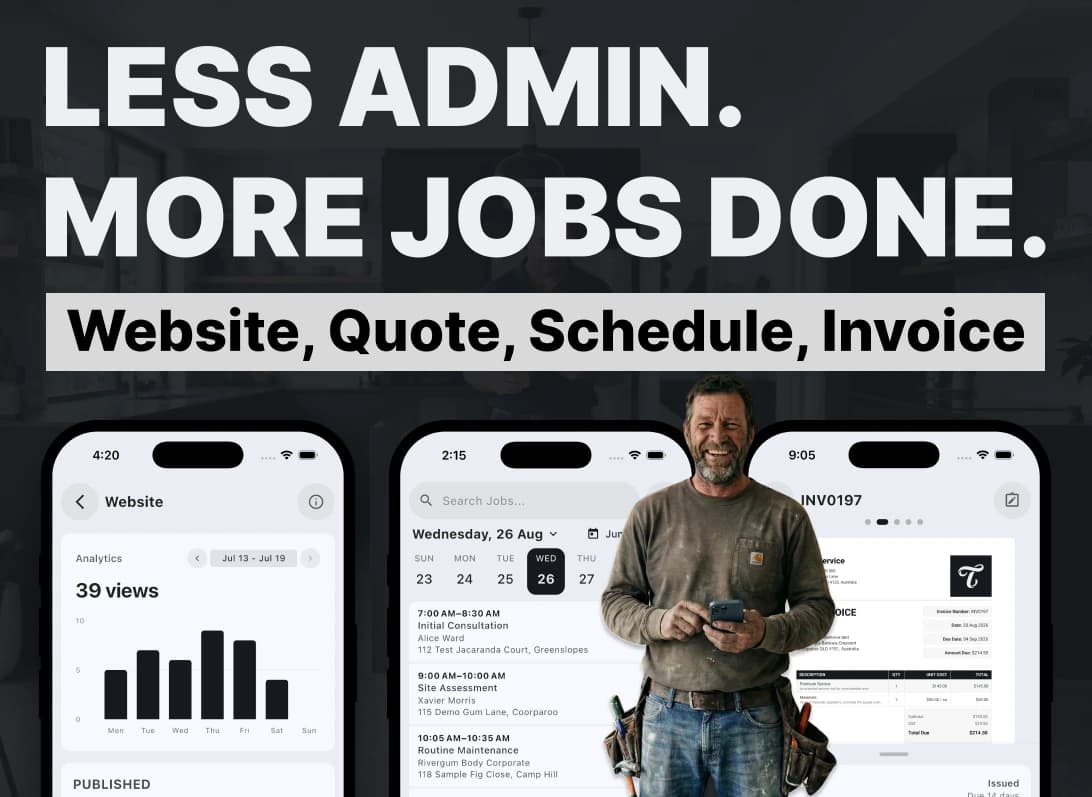
Why I Built TREVY: Less Admin, More Life
I built TREVY to help hard-working tradies and service providers spend less time on admin, paperwork, quotes, and invoices, and more time on the rest of life.

How to Price a Service Job Without Guessing
A practical guide for Australian service providers who want to price jobs with more confidence by accounting for labour, materials, travel, overhead, margin, GST, and risk.