Send Professional Invoices and Get Paid Faster
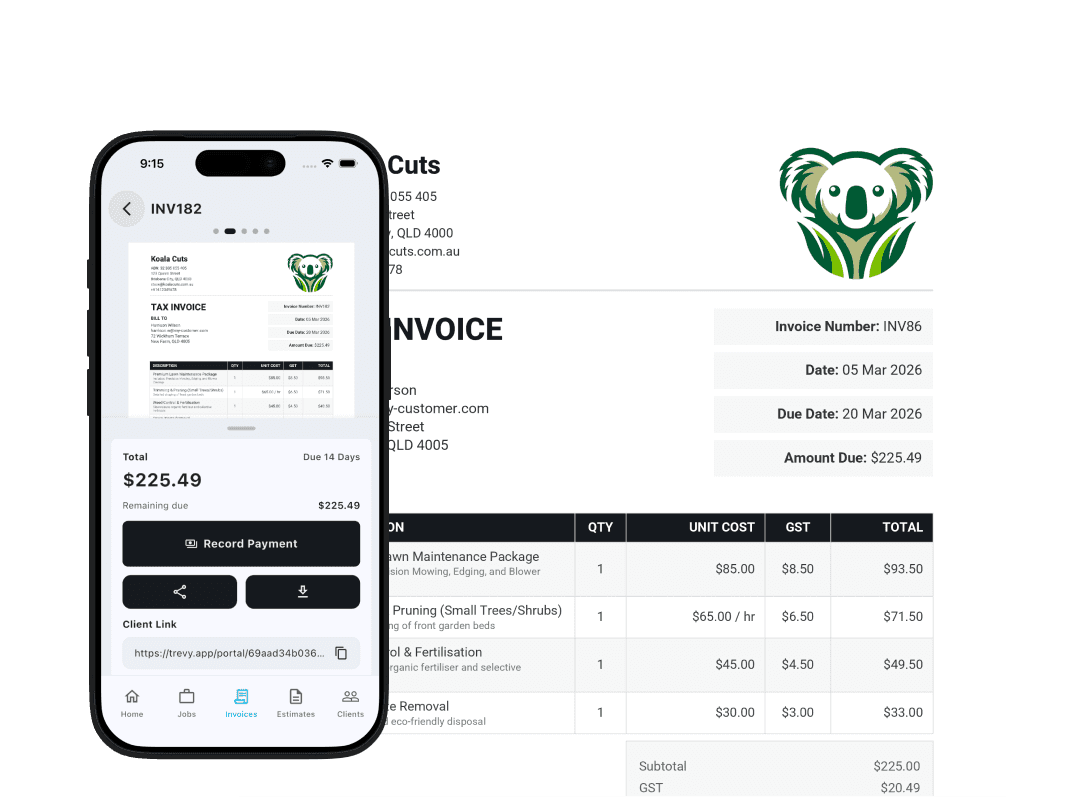
Create tax invoices in minutes and send them before you leave the job site. TREVY helps you track what is paid, follow up what is outstanding, and keep your cash flow healthy without end-of-day admin catch-up.



Create invoices from real work already captured in the app. Start from a job, a project, or an accepted estimate and pull the context through instead of rebuilding the invoice from zero.
Turn Completed Work Into Invoices Without Re-entering Details
TREVY lets you create invoices from jobs and project details, with line items carried over automatically. Send invoices the same day the work is done, without extra admin work.
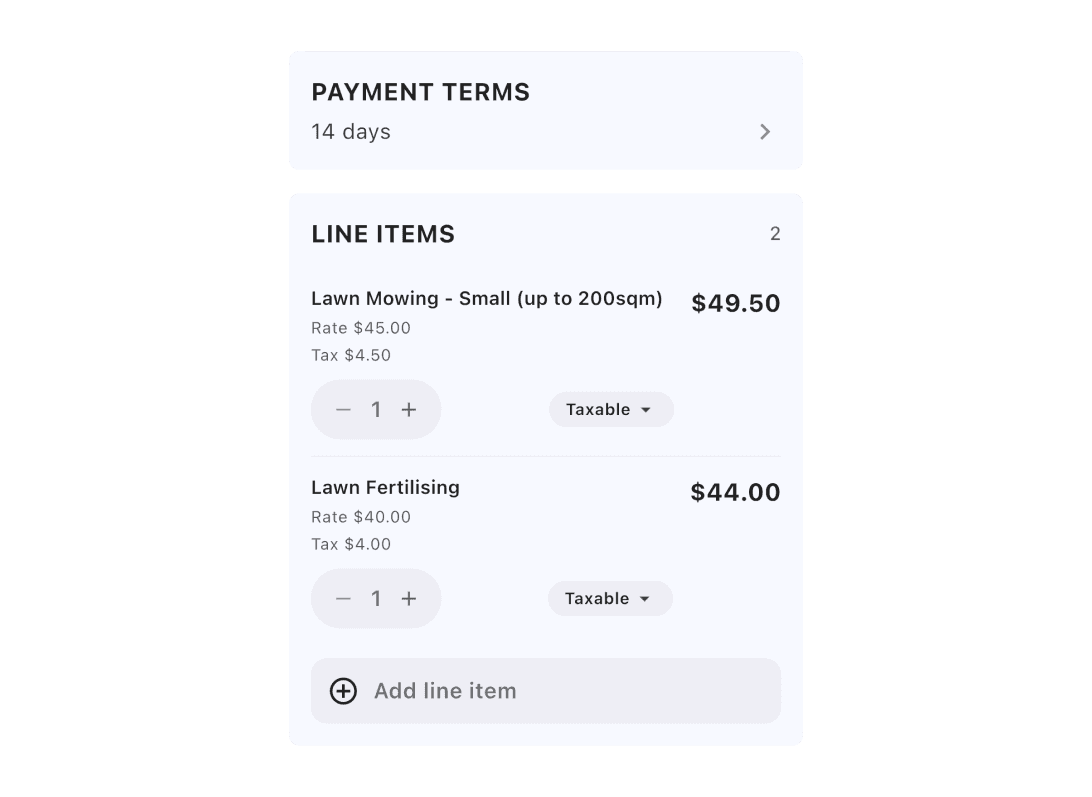
Handle real invoice requirements, not just a simple total box. Use line items, tax settings, payment terms, prepayments, notes, terms and conditions, and your supported currencies in one billing flow.
Create Accurate Invoices With Tax and Payment Rules Built In
Build invoices with clear line items, pull in items from your price book, apply local tax settings, set payment terms, track prepayments, and bill in multiple currencies. Keep defaults, notes, and terms in one place so invoices are accurate and ready to send.
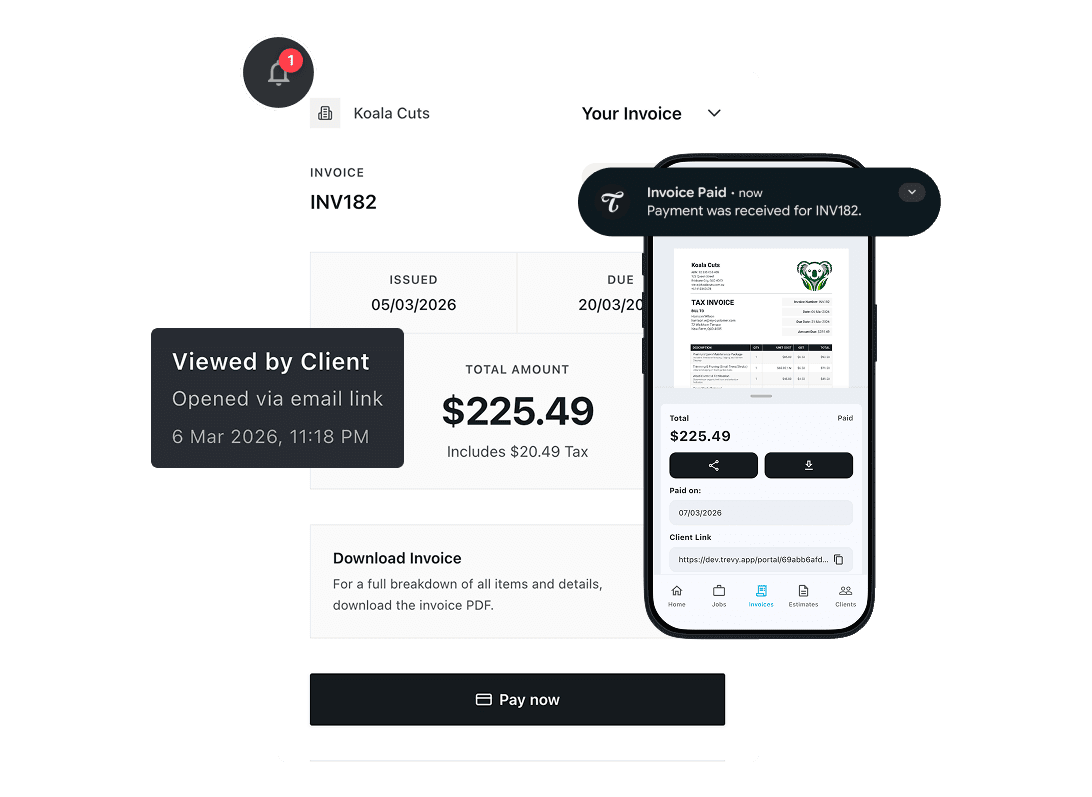
Give clients a clean invoice experience and keep payment status visible after send. Clients can review invoice details and download the PDF, while you track draft, issued, paid, applied, and credited states with clearer follow-up context.
Let Clients Review Invoices While You Track Status
Clients can open invoices online, check totals, download the PDF, and pay using available payment options. You can track status updates and recorded payments in the same flow, with less back-and-forth and better visibility on unpaid invoices.
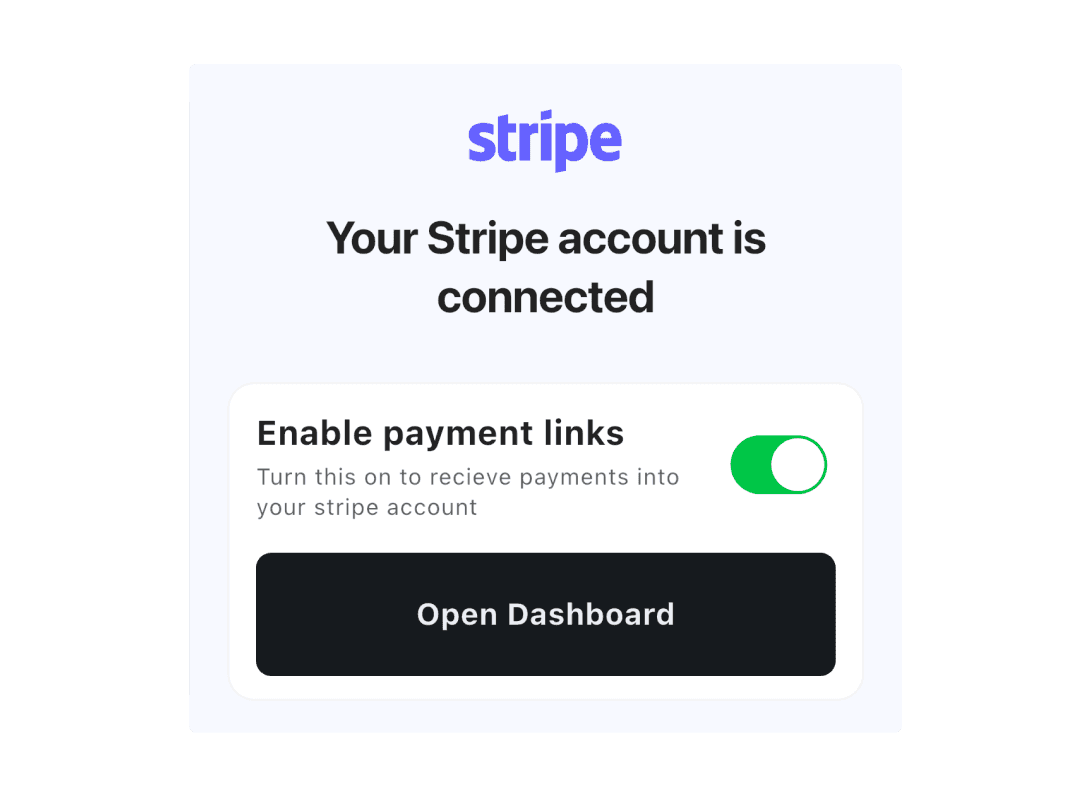
Accept online card payments through Stripe payment links. Connect Stripe once, then include secure payment links in invoices so clients can pay online without extra manual steps.
Stripe Payment Links Help Clients Pay Faster
TREVY supports Stripe payment links so clients can pay directly from invoice views when enabled. This makes collections more straightforward, reduces payment friction, and helps move issued invoices to paid sooner.
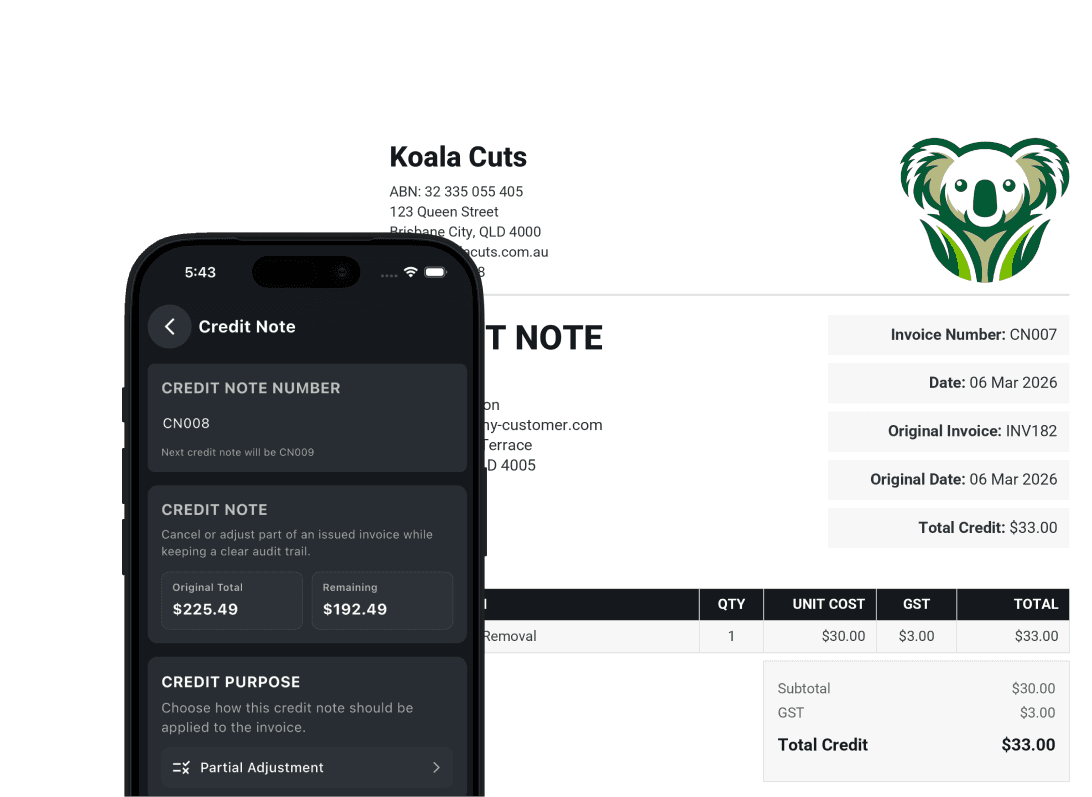
Handle adjustments properly when billing changes after send. When you need to reverse, reduce, or correct an invoice, TREVY supports credit-note workflows instead of leaving you with awkward manual fixes.
Manage Credit Notes and Invoice History More Cleanly
Invoicing does not always end at send. TREVY includes support for credit notes, associated invoice records, and invoice activity history so corrections and changes can be handled in a way that stays tied to the original billing record.
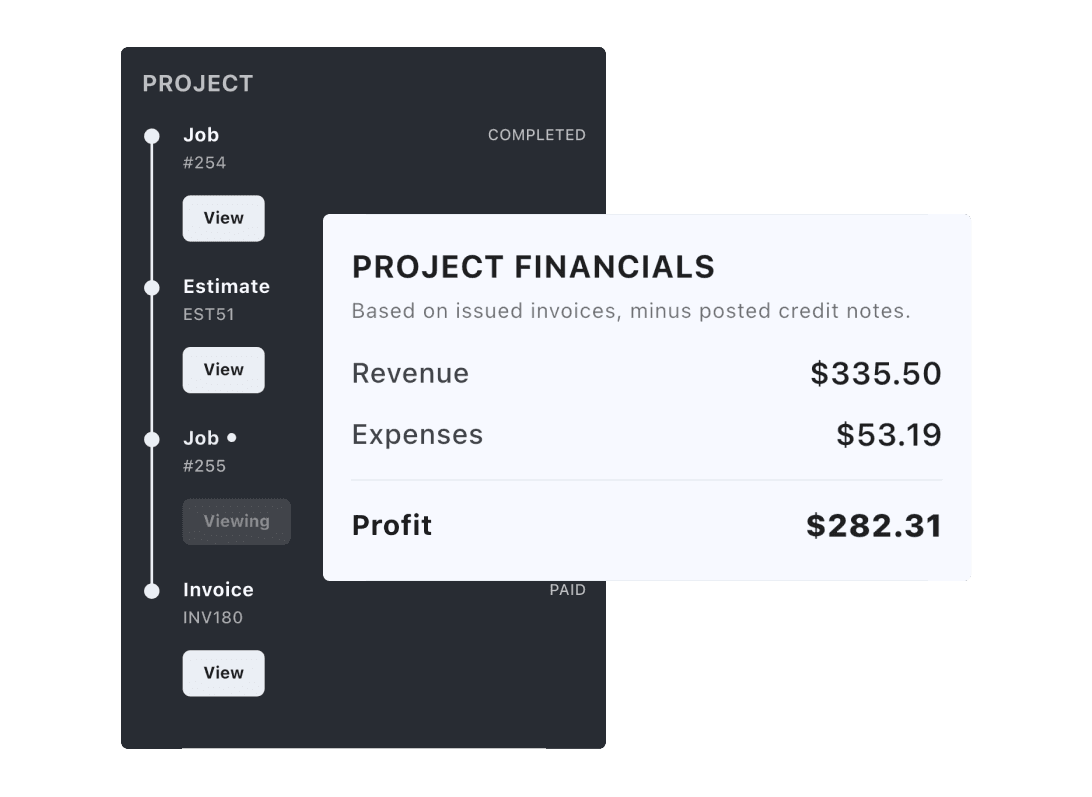
Keep the final invoice tied to the rest of the project record. Invoices do not sit alone. TREVY keeps the related jobs, estimates, and project documents visible so billing stays grounded in the full project timeline.
View Revenue in the Context of the Whole Project
From any project document, you can follow linked records for clear context, while the financial summary reflects current totals from issued invoices and tracked expenses. This gives you a clearer view of project revenue and progress today, and a stronger revenue-versus-expense picture as the financial breakdown expands.
Explore more features. Switch to another core workflow and see how TREVY keeps your business moving.
Made for your industryTREVY helps tradespeople run their business with less admin and more profit.













Questions? Answers. Everything you need to know about TREVY.
Yes, absolutely. You get full access to all features for 7 days. The trial is handled through the App Store or Google Play, so a payment method on file with your store account is required — but you won't be charged until the trial ends.
You can choose to upgrade to our Core plan to keep using TREVY. If you decide not to, your account will simply switch to read-only mode.
Yes. There are no lock-in contracts. You can cancel your subscription at any time through the app store settings.
TREVY is built specifically for tradespeople, sole traders, and service providers who need a simple way to manage jobs, estimates, and invoices on the go.
Yes. You can set your tax rate preferences, and TREVY automatically calculates tax on your estimates and invoices.
Yes! TREVY is available on both Android and iOS. Your account is cloud-based, so you can log in securely from any supported device and your data will be synced.
TREVY Core is a flat monthly subscription billed through the App Store or Google Play. Pricing is shown in your local currency at checkout — there are no tiers, no add-ons, and no hidden fees.
Yes. TREVY supports online payment links via Stripe. When you send an invoice, your client receives a secure link to pay directly without manual follow-up.
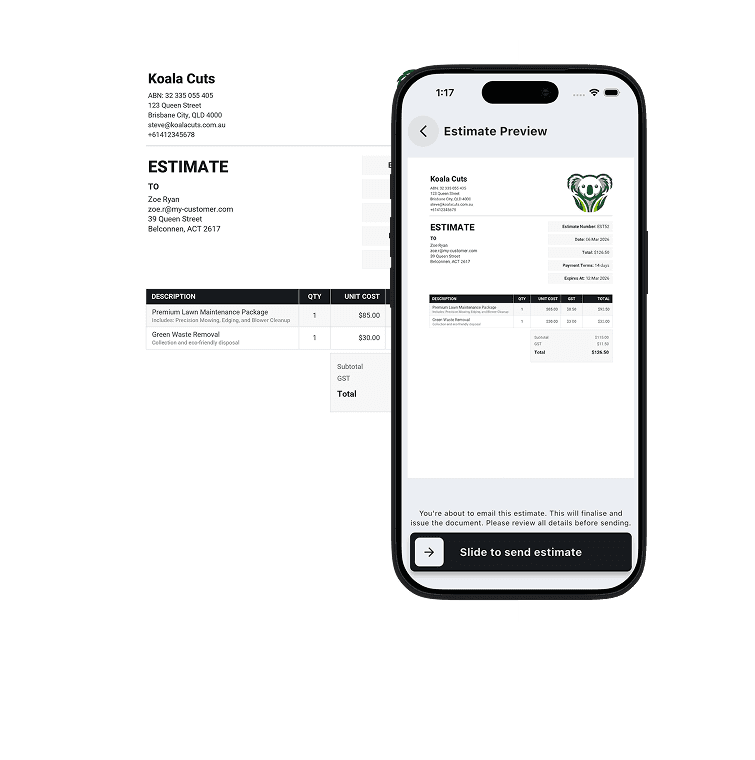
Yes. Once a client accepts your estimate, you can convert it to a scheduled job or invoice with a single tap. There's no need to re-enter any information.
Yes. You can schedule recurring jobs on a daily, weekly, or monthly basis — perfect for regular maintenance clients or ongoing service contracts.
Yes. You can attach photos and notes directly to jobs and invoices, making it easy to document work done or capture on-site details before you leave.
TREVY is built for a wide range of trades and service businesses, including electricians, plumbers, carpenters, cleaners, painters, HVAC technicians, landscapers, locksmiths, pest control professionals, and more.
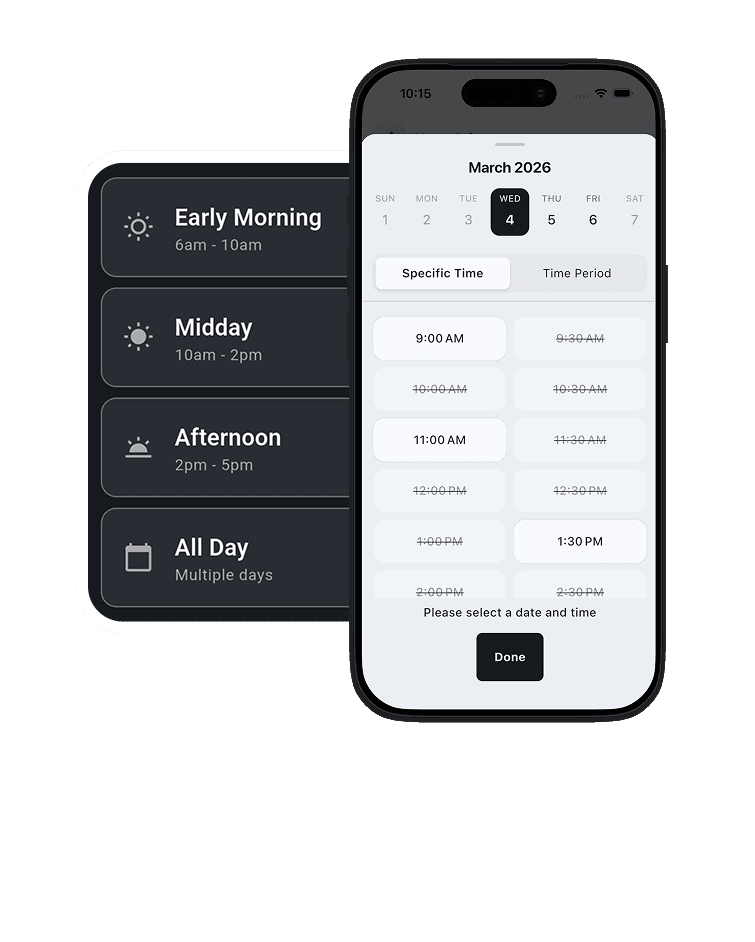
Yes. When you schedule a job, TREVY automatically sends your client a booking confirmation. Clients can also submit contactless reschedule requests directly through the app.
Yes. You'll receive an automatic notification as soon as a client accepts or rejects your estimate, so you can follow up or start scheduling the job straight away.
Yes. TREVY has smart conflict detection built into the scheduler. You'll be alerted if you try to schedule overlapping jobs, so your calendar stays accurate.
Yes. TREVY includes live GPS tracking so your clients can see when you're en route to a job — helping reduce no-shows and giving a more professional experience.
Yes, absolutely. You get full access to all features for 7 days. The trial is handled through the App Store or Google Play, so a payment method on file with your store account is required — but you won't be charged until the trial ends.
Yes. There are no lock-in contracts. You can cancel your subscription at any time through the app store settings.
Yes. You can set your tax rate preferences, and TREVY automatically calculates tax on your estimates and invoices.
TREVY Core is a flat monthly subscription billed through the App Store or Google Play. Pricing is shown in your local currency at checkout — there are no tiers, no add-ons, and no hidden fees.
Yes. Once a client accepts your estimate, you can convert it to a scheduled job or invoice with a single tap. There's no need to re-enter any information.
Yes. You can attach photos and notes directly to jobs and invoices, making it easy to document work done or capture on-site details before you leave.
Yes. When you schedule a job, TREVY automatically sends your client a booking confirmation. Clients can also submit contactless reschedule requests directly through the app.
Yes. TREVY has smart conflict detection built into the scheduler. You'll be alerted if you try to schedule overlapping jobs, so your calendar stays accurate.
You can choose to upgrade to our Core plan to keep using TREVY. If you decide not to, your account will simply switch to read-only mode.
TREVY is built specifically for tradespeople, sole traders, and service providers who need a simple way to manage jobs, estimates, and invoices on the go.
Yes! TREVY is available on both Android and iOS. Your account is cloud-based, so you can log in securely from any supported device and your data will be synced.
Yes. TREVY supports online payment links via Stripe. When you send an invoice, your client receives a secure link to pay directly without manual follow-up.
Yes. You can schedule recurring jobs on a daily, weekly, or monthly basis — perfect for regular maintenance clients or ongoing service contracts.
TREVY is built for a wide range of trades and service businesses, including electricians, plumbers, carpenters, cleaners, painters, HVAC technicians, landscapers, locksmiths, pest control professionals, and more.
Yes. You'll receive an automatic notification as soon as a client accepts or rejects your estimate, so you can follow up or start scheduling the job straight away.
Yes. TREVY includes live GPS tracking so your clients can see when you're en route to a job — helping reduce no-shows and giving a more professional experience.
Ready When You Are
Ready to grow your business?
Streamline your business admin. Save time and get paid faster with the app built for service pros. Download TREVY today.